
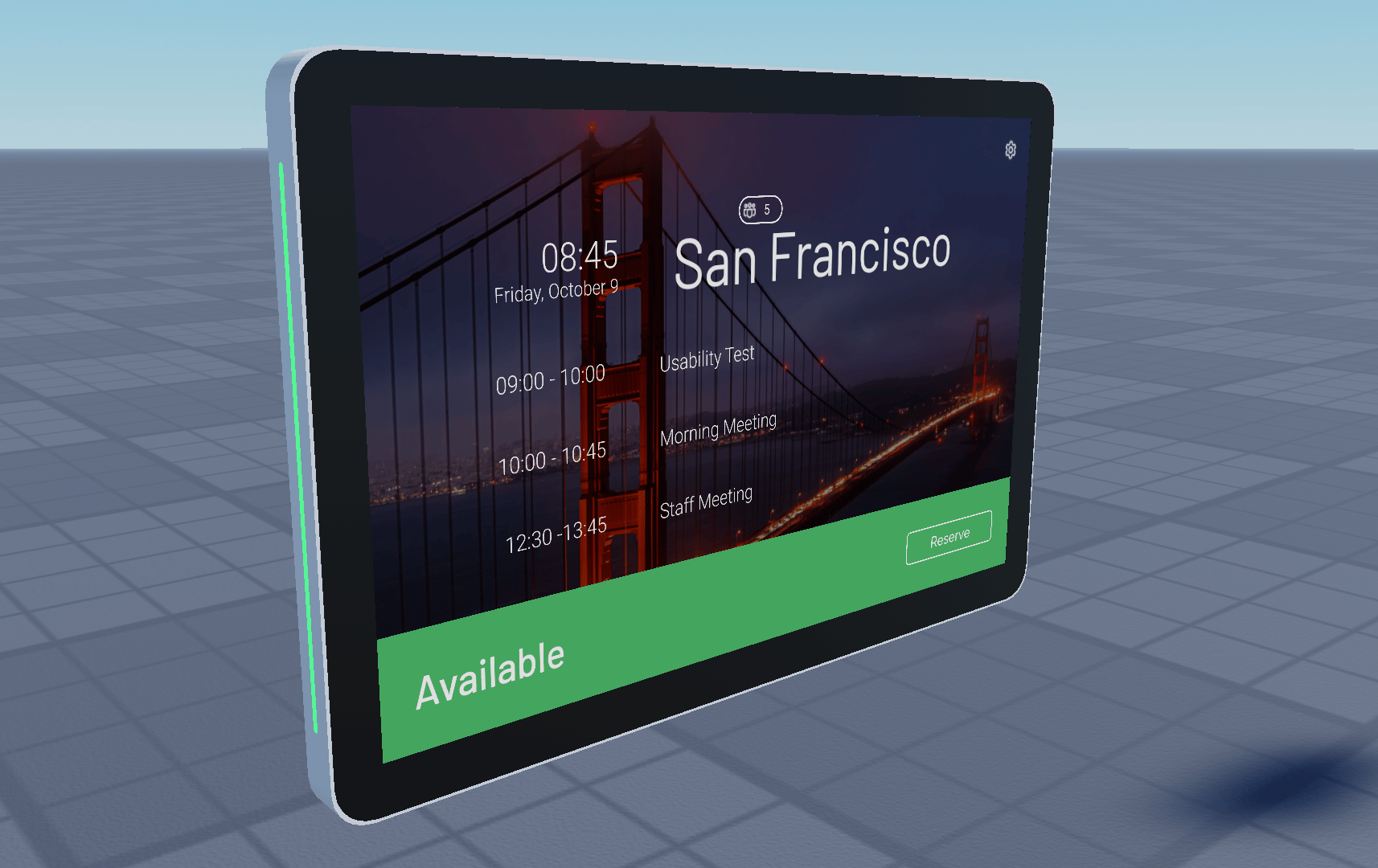
Room Available - You can see upcoming reservations and reserve meetings.
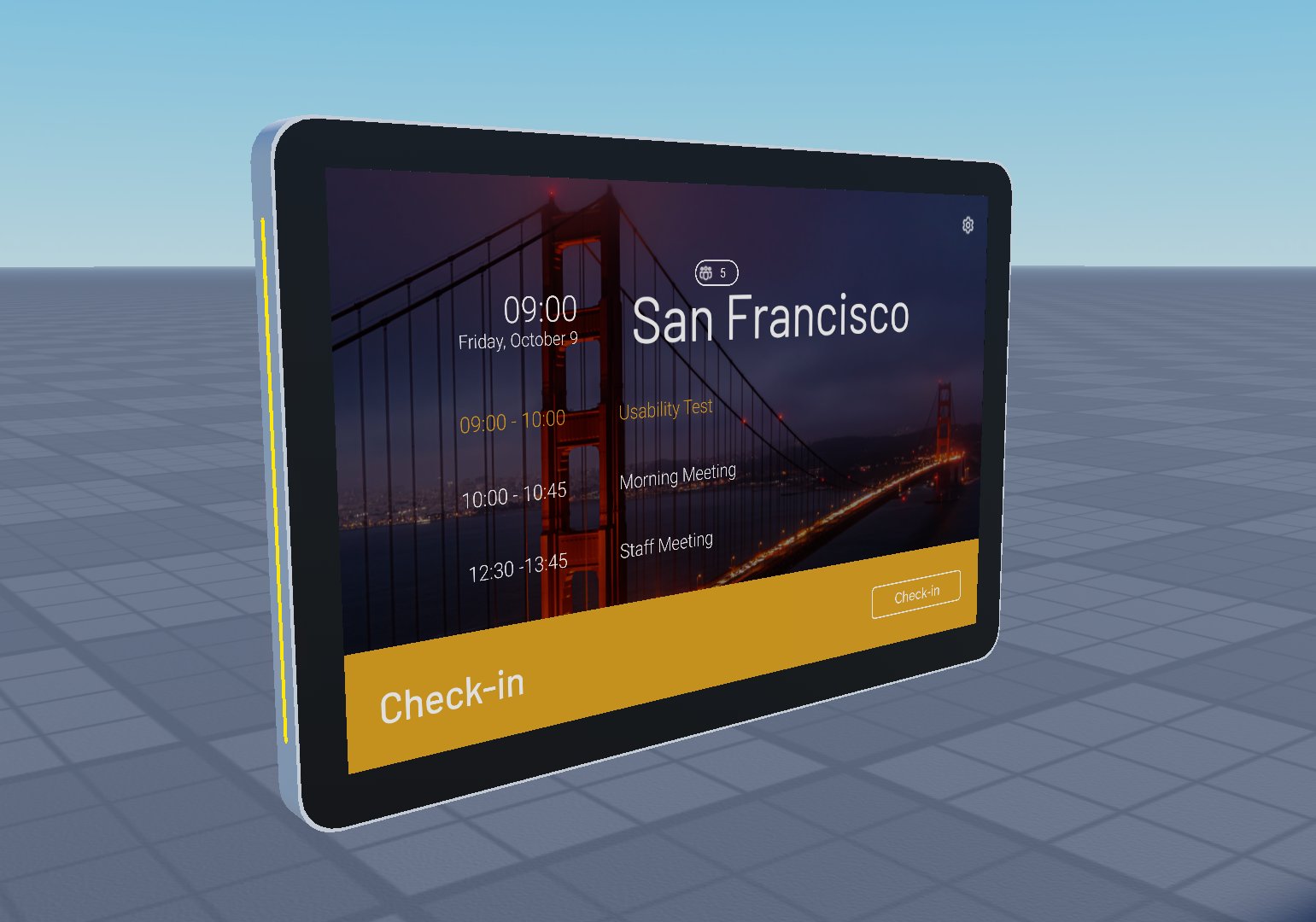
Reservation Starting - User needs to check-in before room is marked as busy.
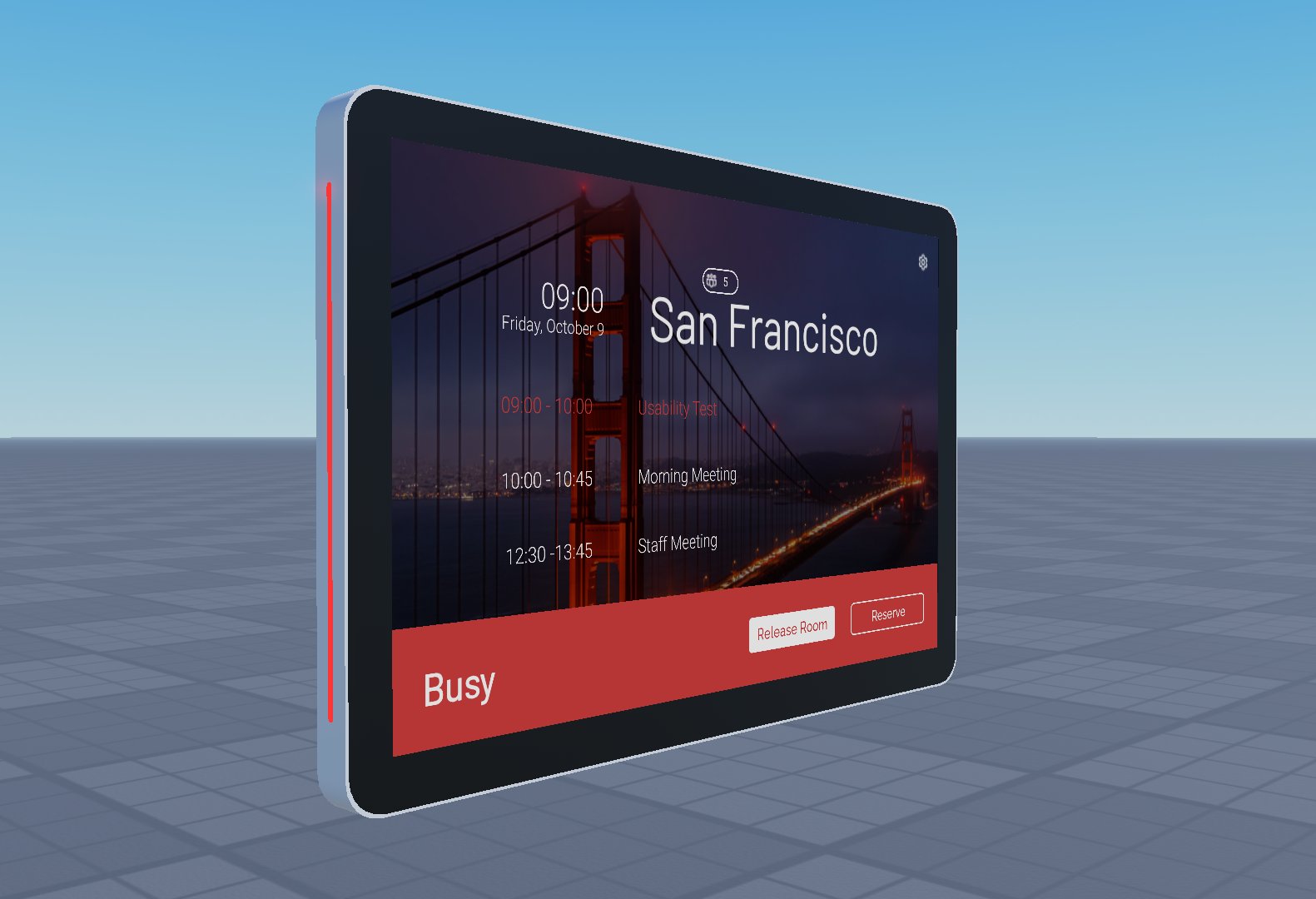
Room Busy - Room will be shown as busy after user has checked-in. You can press "Release Room" to end the reservation or reserve a new reservation.
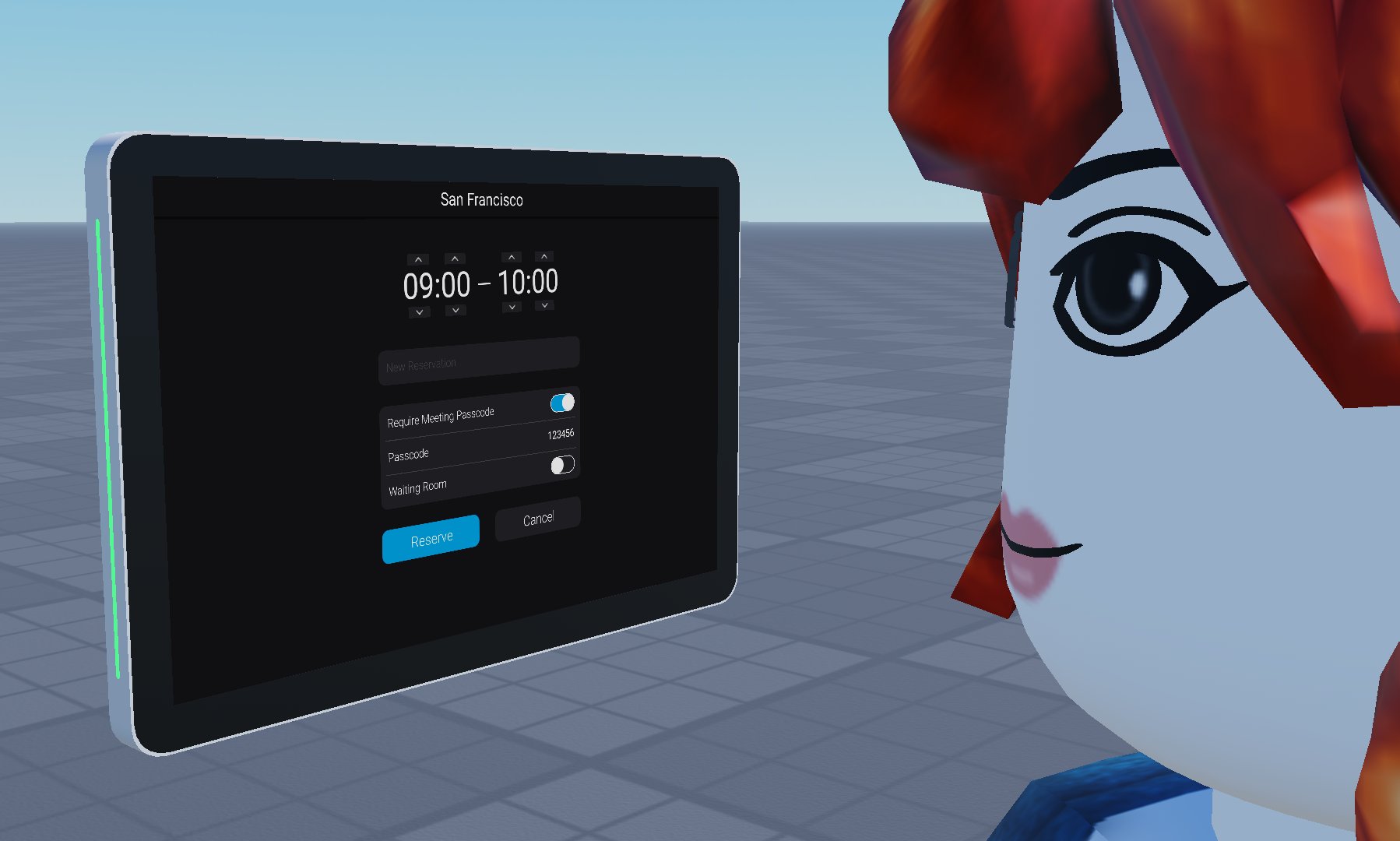
New Reservation - After pressing "Reserve" on the Room Available screen or the Room Busy screen, you will be taken into this menu where you can adjust the reservation start and end time, toggle Require Meeting Passcode, set the Meeting Passcode and toggle Waiting Room.